What Happens When a Temporary Email Expires, and Can You Get It Back?
The exact timeline of an expiring PureTempMail address, what senders and websites see afterwards, why it can't be restored, and what to try if an account is tied to it.
PureTempMail Team
The engineers who build and run PureTempMail

Short answer
A PureTempMail address lasts one hour unless you extend it, up to 24 hours after creation. At expiry you lose access straight away, new mail is refused, and a cleanup that runs every five minutes deletes the messages and attachments. We can't restore an expired mailbox. Any account you created with it still exists on that website, so your way back in runs through that website.
The countdown reaches zero and the word Expired appears. If all you needed was one confirmation code, nothing is lost. If you've just remembered an account tied to that address, the next few minutes matter less than knowing what is still possible.
We run PureTempMail's mail servers, so this timeline comes from our own configuration. Other temp mail services keep different timers, and some offer restore tokens or logged-in dashboards. We offer neither, and the rest of this article describes our service only.
The timeline of an address, from creation to deletion
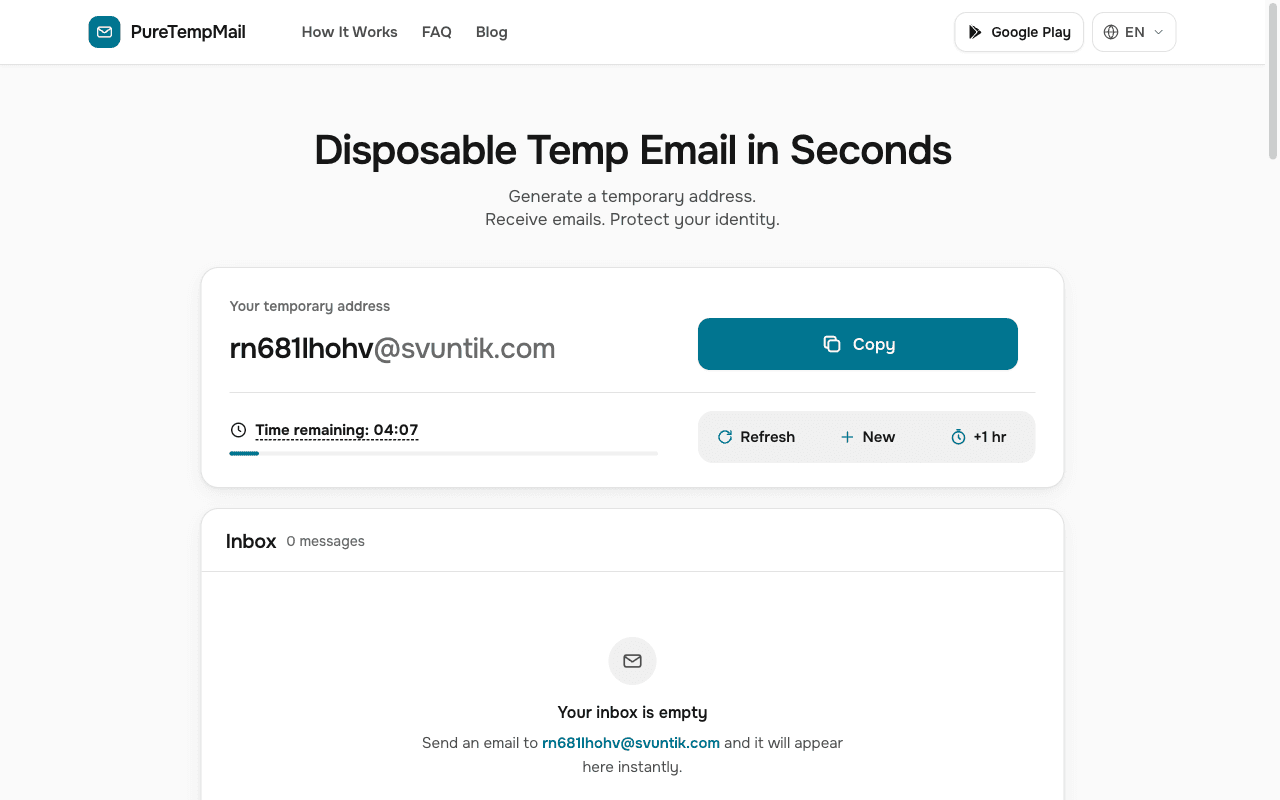
Here is every stage an address goes through. The only thing that changes the schedule is the +1 hr button, and it stops working at expiry.
Minute 0
The address is created
Opening the home page creates a random address and starts a one-hour timer. Your browser remembers the mailbox, so closing the tab doesn't end it. Come back in the same browser before the timer runs out and the inbox is still there.Any time before expiry
+1 hr resets the clock
The button sets the remaining time to a full hour from the moment you press it. It doesn't add an hour on top. Press it at minute 5 and you gain five minutes. Press it at minute 55 and you gain 55, so wait until the timer runs low.Hour 24
The hard limit
Extensions can't take a mailbox past 24 hours after it was created. In the final hour, the button only reaches that limit, so it gives you less than a full hour.Expiry
Access ends at once
The countdown shows Expired and our API stops serving the mailbox, its messages and its attachments. The mailbox can't be extended any more. The next time you load the page, you get a new address.From expiry onwards
New mail is refused
When another mail server tries to deliver to the address, ours answers with a permanent550 No such mailboxerror. The message is never stored.Within about 5 minutes
The data is deleted
A cleanup runs every five minutes. It deletes the attachment files first, then the mailbox and its messages from the database. We keep no archive of them.
What you, senders and websites each see
Expiry affects three parties in different ways, and the third is the one people tend to forget.
| Who | Before expiry | After expiry |
|---|---|---|
| You | Live inbox in the browser that created it, with messages and attachments | The page shows Expired. Messages and attachments can no longer be opened |
| A mail server sending to the address | Mail reaches the inbox, within the message and mailbox limits | Delivery fails with a permanent error. Many senders then return a bounce notice to the sender's side |
| A website where you signed up | Your account works and its emails reach you | Your account and whatever you gave the site stay in place. Its emails, password resets included, can no longer reach you |
A 5xx reply is a permanent failure under RFC 5321, and the standard says the client should not repeat the same request. So a site's mail system may stop writing to the address after one attempt. Your account may stay as it was, and the site may flag the address as undeliverable. That part is up to the site.
Why an expired address can't be recovered
Three separate things stand in the way, and all three come from how the service is built.
- The content is gone. Once the cleanup has run, the messages and attachments no longer exist on our side. Even in the few minutes before it runs, the API refuses to serve them, and we have no tool for reopening a mailbox.
- We couldn't verify you anyway. A mailbox has no account, password or recovery details attached. A request saying "that address was mine" gives us nothing to check it against.
- You can't ask for it again. Each address is 10 random characters from a-z and 0-9, about 3.66 quadrillion combinations, and you can't pick one. We don't reserve old addresses, so a repeat is possible in theory and very unlikely in practice. Don't plan around getting yours back.
You can lose access before the timer ends
Your access depends on this browser remembering the mailbox. There is no password or link that opens it from another device, so these actions cut you off early:
- Pressing New. The page forgets the current mailbox and creates another one.
- Clearing browser data. The saved mailbox goes with it.
- Closing a private window. Private windows usually discard saved site data when they close.
In each case, the old mailbox stays live on our server until its timer ends. It keeps accepting mail, then expires and is deleted on the same schedule, but you have no way to open it in the meantime.
If an account is tied to an address that has expired
We can't help with this part, because the account belongs to the website. These are the options that remain, in the order we'd try them.
Look for a device that is still signed in
Check your phone, its apps, other browsers and any work computer. A live session is your best chance, because you may be able to change the email in the account settings. Our guide on moving an account to a permanent email covers the order of steps. Expect the site to ask for your password or a second factor and to send a confirmation to the new address, which is what OWASP's authentication guidance recommends. A site that also insists on a confirmation from the old address will block this route, so go to the next step.
Contact the website's support team
Give them the exact address if you still have it, along with anything that shows the account is yours: an order number, a receipt, the date you signed up, or details of a payment. Don't send a full card number or your password. The site's support team decides what proof is enough, and some will refuse, especially when the account holds money or personal data. That refusal protects the account from strangers making the same claim.
If the account was low stakes, let it go
For a forum login or a one-off download, you can sign up again with a permanent address. If the old account had paid content or personal data, ask support to close it or delete your data. Check the site's terms first, since many limit people to one account, and a new sign-up isn't a route to a second free trial or new-customer discount.
Common questions
Can I get the same address back?
Can PureTempMail's team restore my mailbox if I write in?
Can I extend a mailbox after it has expired?
Could someone else be given my old address?
Does closing the tab end the mailbox?
Can I open my inbox on another device?
My code arrived after the mailbox expired. Where is it?
Bottom line
Treat expiry as final and plan around it. Copy what you need, press +1 hr when the timer runs low, and if an account turns out to matter, move it to a permanent address while the mailbox is live. Our guide on when to use a disposable email can help you decide before you sign up, and how a temp mail service works inside explains the servers behind these timers.
Sources
- RFC 5321, Simple Mail Transfer Protocol, section 4.2.1 on permanent reply codes.
- OWASP Authentication Cheat Sheet, section on changing a user's registered email address.
- OWASP Forgot Password Cheat Sheet, on consistent responses for existing and non-existing accounts.
- Lifetimes, the extension rule, the SMTP rejection, the address format and the cleanup schedule come from PureTempMail's own server configuration, also summarised in the FAQ.